

The Ultimate PC Build Software Checklist 2025 (Windows 11 + Office)
in Software Reviews on December 2, 2025
Hardware is only half the battle. To turn that pile of expensive parts into a working computer, you need a plan. You need a PC build software checklist.
You did the hard part. You picked the parts, managed the cables, and successfully posted your new Gaming PC (or unboxed that sleek new FreeDOS laptop). The fans are spinning, and the RGB is glowing.
But now you are staring at a black screen or a BIOS menu.
Hardware is only half the battle. To turn that pile of expensive parts into a working computer, you need a plan. You need a PC build software checklist.
If you go to the official retail stores, checking off the items on this list will cost you over $270 just to get started. In this guide, we will show you how to complete your checklist for the price of a takeout meal.
Item 1: The Operating System (Windows 11 Pro)
The first and most critical item on your PC build software checklist is the Operating System.
Since Microsoft officially ended support for Windows 10 in October 2025, installing the old OS is a security risk. You need Windows 11. But don’t settle for the “Home” version. If you are a gamer or power user, you want Windows 11 Pro.
Why Pro?
-
BitLocker Device Encryption: Keeps your data safe if your drive is stolen.
-
WIP (Windows Information Protection): Essential for freelancers.
-
Gaming Mode: Optimized for the latest DirectX 12 Ultimate games.
✅ How to check this off:
-
Download: Use the “Windows 11 Installation Media” tool (it’s free from Microsoft) to create a bootable USB.
-
Install: Plug the USB into your new PC and boot up.
-
Activate: Don’t pay $199. Use our Genuine Windows 11 Pro OEM Key to unlock the full OS instantly.
[Get Your Windows 11 Pro Key Here]
Item 2: The Productivity Suite (Microsoft 365)
A computer without Word, Excel, or PowerPoint is just a web browser. The next essential item on your PC build software checklist is an office suite.
Old-school builders hunt for expensive “Office 2019” keys, but in 2025, smart builders use the Microsoft 365 Account.
Why the “Account” model wins for new builds:
-
50GB Cloud Storage: Your new PC is fast, but drives fail. Our account includes 50GB of OneDrive cloud storage. Use this to back up your critical documents immediately.
-
The “5-Device” Rule: You just built a PC, but you likely still have a phone or laptop. This single account covers 5 devices at once.
-
AI-Ready: Get the latest AI features in Excel and PowerPoint that older versions lack.
Item 3: The “Smart Builder” Bundle (Save Money)
Completing your PC build software checklist shouldn’t empty your wallet.
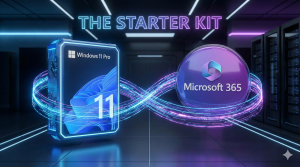
We know that 99% of new PC owners need both Windows and Office. That is why we created the New PC Starter Kit. It ticks both boxes in one click.
| Checklist Item | Retail Price | Our Bundle Price |
| Windows 11 Pro | $199.00 | Included |
| Office 365 | $69.99/yr | Included |
| 50GB Cloud | Paid Extra | Included |
| TOTAL COST | ~$270.00 | $29.99 |
🚀 How to Install Your Bundle:
-
Purchase the Windows + Office Bundle from our store.
-
Receive your Product Key (Windows) and Login Details (Office) via email.
-
Activate Windows in Settings > Activation.
-
Log in to Office.com to download your apps.
-
Checklist Complete. Your PC is fully licensed.
Summary: Your Essential PC Build Software Checklist
Don’t let software be an afterthought. Before you start downloading games or editing videos, make sure you have the essentials covered.
-
[ ] Windows 11 Pro (Installed via USB, Activated with Key)
-
[ ] Microsoft 365 (Word, Excel, PowerPoint Installed)
-
[ ] Cloud Backup (OneDrive 50GB set up)
Ready to cross everything off the list?